
![$70 Nintendo EShop Gift Card [Digital Code] -Kirby Shop 412MpFZ2lnL 7](https://www.kirbydollus.com/wp-content/uploads/2023/07/412MpFZ2lnL-7-100x100.webp "$70 Nintendo EShop Gift Card [Digital Code] 1")
![$45 Nintendo EShop Gift Card [Digital Code] -Kirby Shop 41ow4qu5WeL 4](https://www.kirbydollus.com/wp-content/uploads/2023/07/41ow4qu5WeL-4-100x100.webp "$45 Nintendo EShop Gift Card [Digital Code] 2")
![$65 Nintendo EShop Gift Card [Digital Code]](https://www.kirbydollus.com/wp-content/uploads/2023/07/41MKgjoFoOL-5.webp "$65 Nintendo EShop Gift Card [Digital Code] 3")
![$65 Nintendo EShop Gift Card [Digital Code] - Image 2](https://www.kirbydollus.com/wp-content/uploads/2023/07/412MpFZ2lnL-6.webp "$65 Nintendo EShop Gift Card [Digital Code] 4")
![$65 Nintendo EShop Gift Card [Digital Code] - Image 3](https://www.kirbydollus.com/wp-content/uploads/2023/07/41VTQUjnHHL-6.webp "$65 Nintendo EShop Gift Card [Digital Code] 5")
![$65 Nintendo EShop Gift Card [Digital Code] - Image 4](https://www.kirbydollus.com/wp-content/uploads/2023/07/41XOVFRcBIL-6.webp "$65 Nintendo EShop Gift Card [Digital Code] 6")
![$65 Nintendo EShop Gift Card [Digital Code] - Image 5](https://www.kirbydollus.com/wp-content/uploads/2023/07/415iqZwZvoL-6.webp "$65 Nintendo EShop Gift Card [Digital Code] 7")
![$65 Nintendo EShop Gift Card [Digital Code] - Image 6](https://www.kirbydollus.com/wp-content/uploads/2023/07/41ow4qu5WeL-6.webp "$65 Nintendo EShop Gift Card [Digital Code] 8")
![$65 Nintendo EShop Gift Card [Digital Code] - Image 7](https://www.kirbydollus.com/wp-content/uploads/2023/07/51klpGvEKML-5.webp "$65 Nintendo EShop Gift Card [Digital Code] 9")
![$65 Nintendo EShop Gift Card [Digital Code] - Image 8](https://www.kirbydollus.com/wp-content/uploads/2023/07/41MKgjoFoOL-6.webp "$65 Nintendo EShop Gift Card [Digital Code] 10")
![$65 Nintendo EShop Gift Card [Digital Code] - Image 9](https://www.kirbydollus.com/wp-content/uploads/2023/07/41X4G-NILVL-5.webp "$65 Nintendo EShop Gift Card [Digital Code] 11")
![$65 Nintendo EShop Gift Card [Digital Code] - Image 10](https://www.kirbydollus.com/wp-content/uploads/2023/07/41bJ4fSfwL-5.webp "$65 Nintendo EShop Gift Card [Digital Code] 12")
![$65 Nintendo EShop Gift Card [Digital Code] -Kirby Shop 412MpFZ2lnL 6](https://www.kirbydollus.com/wp-content/uploads/2023/07/412MpFZ2lnL-6-247x384.webp "$65 Nintendo EShop Gift Card [Digital Code] 13")
![$65 Nintendo EShop Gift Card [Digital Code] -Kirby Shop 41VTQUjnHHL 6](https://www.kirbydollus.com/wp-content/uploads/2023/07/41VTQUjnHHL-6-247x385.webp "$65 Nintendo EShop Gift Card [Digital Code] 14")
![$65 Nintendo EShop Gift Card [Digital Code] -Kirby Shop 41XOVFRcBIL 6](https://www.kirbydollus.com/wp-content/uploads/2023/07/41XOVFRcBIL-6-247x385.webp "$65 Nintendo EShop Gift Card [Digital Code] 15")
![$65 Nintendo EShop Gift Card [Digital Code] -Kirby Shop 415iqZwZvoL 6](https://www.kirbydollus.com/wp-content/uploads/2023/07/415iqZwZvoL-6-247x385.webp "$65 Nintendo EShop Gift Card [Digital Code] 16")
![$65 Nintendo EShop Gift Card [Digital Code] -Kirby Shop 41ow4qu5WeL 6](https://www.kirbydollus.com/wp-content/uploads/2023/07/41ow4qu5WeL-6-247x384.webp "$65 Nintendo EShop Gift Card [Digital Code] 17")
![$65 Nintendo EShop Gift Card [Digital Code] -Kirby Shop 51klpGvEKML 5](https://www.kirbydollus.com/wp-content/uploads/2023/07/51klpGvEKML-5-247x384.webp "$65 Nintendo EShop Gift Card [Digital Code] 18")
![$65 Nintendo EShop Gift Card [Digital Code] -Kirby Shop 41MKgjoFoOL 6](https://www.kirbydollus.com/wp-content/uploads/2023/07/41MKgjoFoOL-6-247x391.webp "$65 Nintendo EShop Gift Card [Digital Code] 19")
![$65 Nintendo EShop Gift Card [Digital Code] -Kirby Shop 41X4G NILVL 5](https://www.kirbydollus.com/wp-content/uploads/2023/07/41X4G-NILVL-5-247x385.webp "$65 Nintendo EShop Gift Card [Digital Code] 20")
![$65 Nintendo EShop Gift Card [Digital Code] -Kirby Shop 41bJ4fSfwL 5](https://www.kirbydollus.com/wp-content/uploads/2023/07/41bJ4fSfwL-5-247x385.webp "$65 Nintendo EShop Gift Card [Digital Code] 21")
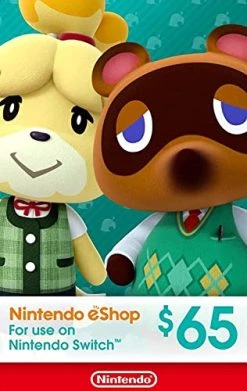
$65 Nintendo EShop Gift Card [Digital Code]
Original price was: $65.00.$45.50Current price is: $45.50.
- Unbeatable quality, unbeatable prices.
- Your satisfaction is 100% guaranteed.
- Quality Meets Affordability
- Safe Payments for a Better Shopping Experience

Give the gift of fun with a Nintendo eShop gift code. Choose the price that’s right for you:
• It’s easy—apply it to your Nintendo eShop account in seconds.
• It ensures that you’ll always have funds on hand to help with purchases of new games and applications
• It’s designed for your Nintendo eShop purchases—no credit card required.
• The perfect gift for anyone who loves to play—including you. Choose from over 1,000 new, classic and indie games – delivered directly to your Nintendo Switch system.
o This item can be redeemed only through Nintendo eShop
o Digital Card balances may only be used on a single Nintendo eShop account.
How to redeem your code:
If you haven’t already, set up an internet connection on your Nintendo Switch system.
Make sure your Nintendo Switch system has the latest system update.
From the Nintendo Switch HOME Menu, select the Nintendo eShop icon.
Select “Enter Code.”
Enter your download code and select “OK.”
Select “Add Funds.”
Terms & Conditions
Balance only redeemable using a Nintendo Account on Nintendo eShop and other Nintendo shopping services to purchase games and other content.
Valid only with U.S. Accounts.
Use of this code requires Internet access and acceptance of the Nintendo Account User Agreement. Please review at support.nintendo.com before purchasing.
Compatible accessories and games may be required to use certain downloaded content and are sold separately.
When you enter the activation code on Nintendo eShop or other Nintendo shopping services, the code balance will be associated with your Account and will be non-transferable. There will be no remaining balance on the code.
The code balance may only be used on a single Nintendo eShop account.
There is a maximum unused Account balance that may be stored on a single Account, and the code may, as a result, be temporarily unredeemable.
Code balance does not expire, and there are no fees associated with the code. This card is non-reloadable.
Code balance cannot be redeemed for cash and is non-refundable unless required by law.
Code balance will not be replaced by Nintendo or retailer if the code is lost or stolen.
Please visit support.nintendo.com for more information.
Supported Platforms: Nintendo Switch
BULLET POINTS/FEATURES:
• Give the gift of fun with a Nintendo eShop gift code
• It’s easy—apply it to your Nintendo eShop account in seconds.
• It ensures that you’ll always have funds on hand to help with purchases of new games and applications
• It’s designed for your Nintendo eShop purchases—no credit card required.
• The perfect gift for anyone who loves to play—including you. Choose from over 1,000 new, classic and indie games – delivered directly to your Nintendo Switch system.
• This item can be redeemed only through Nintendo eShop
• Digital Card balances may only be used on a single Nintendo eShop account.
Nintendo Play account required to download and install.
- Digital Card balances may only be used on a single Nintendo eShop account.
| Denomination | 5, 10, 20, 35, 45, 50, 65, 70, 99 |
|---|
8 reviews for $65 Nintendo EShop Gift Card [Digital Code]
Add a review
Related products
![$10 Nintendo EShop Gift Card [Digital Code]](https://www.kirbydollus.com/wp-content/uploads/2023/07/41VTQUjnHHL-1-247x385.webp)
Nintendo Eshop Cards
![$5 Nintendo EShop Gift Card [Digital Code]](https://www.kirbydollus.com/wp-content/uploads/2023/07/412MpFZ2lnL-247x384.webp)
Nintendo Eshop Cards
![Nintendo Switch Online Family Membership 12 Month - Nintendo Switch [Digital Code]](https://www.kirbydollus.com/wp-content/uploads/2023/07/41npXXvyKLL-1-247x349.webp)
Nintendo Eshop Cards
Nintendo Switch Online Family Membership 12 Month – Nintendo Switch [Digital Code]
![$35 Nintendo EShop Gift Card [Digital Code]](https://www.kirbydollus.com/wp-content/uploads/2023/07/415iqZwZvoL-3-247x385.webp)
Nintendo Eshop Cards
![$70 Nintendo EShop Gift Card [Digital Code]](https://www.kirbydollus.com/wp-content/uploads/2023/07/412MpFZ2lnL-7-247x384.webp)
Nintendo Eshop Cards
![$99 Nintendo EShop Gift Card [Digital Code]](https://www.kirbydollus.com/wp-content/uploads/2023/07/412MpFZ2lnL-8-247x384.webp)
Nintendo Eshop Cards
![Nintendo Switch Online + Expansion Pack 12-month Individual Membership – [Digital Code]](https://www.kirbydollus.com/wp-content/uploads/2023/07/51ymOZ0eCCL-3-247x247.webp)
Nintendo Eshop Cards
Nintendo Switch Online + Expansion Pack 12-month Individual Membership – [Digital Code]
![$20 Nintendo EShop Gift Card [Digital Code]](https://www.kirbydollus.com/wp-content/uploads/2023/07/41XOVFRcBIL-2-247x385.webp)
Nintendo Eshop Cards
Hannah205 –
The 3DS Nintendo eShop is closing towards the end of March 2023, so you bought this card, got your code, and the 3DS says you cannot add funds from your 3DS’ eShop, so you freak out while simultaneously raging. Do not worry, you CAN add the funds to your 3DS account! Don’t worry if you added your funds to your Nintendo Switch account, I have the whole process explained on how to get your funds on your 3DS’ eShop!So I previously purchased the $20 card from Amazon, then the $35 card from Walmart’s website. Today, I added the $35 to my Nintendo (Switch) account, but I merged the funds with my 3DS Nintendo Network ID. Here’s how I did it:The 3DS eShop will give you an error code, saying that you cannot add funds to your account directly from the 3DS’s eShop “Add funds” options. However, yes you can! I will tell you how, which is what saved me from chucking my 3DS XL across my bedroom lol1. Do you have a Nintendo Network ID? You will need a Nintendo Network ID, which isn’t the same as your Nintendo account. But it’s perfectly okay if you’ve already added the funds to your Switch account! To check your account info, click on the wrench/house settings button at the top left corner of your 3DS’s home menu page. Scroll all the way down and click on the little wrench icon. Click on the two at the top center, and select “Profile settings.” Enter your password and scroll down to get your email associated with your My Nintendo account. Your Network ID is also displayed along the top screen. You will need this info, so write them down. If you don’t have a Nintendo Network ID/account, you will need to sign up for one real quick on Nintendo’s website, which is quick & easy to do!2. If you already have a Nintendo Network ID, or need to sign up for one, go to/use that info to log in to the website mynintendo.com NOT Nintendo.com! If you’d like to, write down the ID and password for the next steps.3. On the website, click on your profile name/photo at the upper right corner, and select “Account settings.”4. Scroll down a tad and you will see “Nintendo Network ID.” Make sure the Nintendo Network ID listed (if there is one) matches the one that was shown on your 3DS system. If one is not linked, or the wrong one is linked, click “edit” right above it, and change it to the Nintendo Network ID listed on your 3DS, case sensitive, which means exactly as it appears on your 3DS, capitalized letters, spaces, numbers, etc. as well as your account password, and it will automatically link it to your account when you save it.5. On the left side of the screen, click on “Shop menu. You will see your funds in your account, but not (yet) in your 3DS’ eShop, which is a good thing, because it means that your funds are available to you! However, if you want to add more funds, you can do so on this page, via credit card, debt card, or PayPal account. Scroll down and make sure the Nintendo Network ID listed below in that small rectangular box is the exact one as the one listed on your 3DS, and click on “Merge funds” right below that, and click on “Merge funds” again when it pops up. It should merge your Nintendo Switch funds with your 3DS funds.6. If you still have the 3DS’ eShop open, close it and then reopen it, and your funds should be available on your 3DS’ eShop!You may repeat this process as often as necessary until the eShop on 3DS closes.I hope this helps! 🙂
Cole B. –
Upon purchase you will have $20 to spend on games. The worth of such a thing is extremely subjective, and I can’t help but feel like being dissatisfied with this for any reason other a defect or accidental purchase is kind of silly.
Alexandra Leftwich –
I love the fact that I can just order a Digital Code instead of going to Walmart where the store is always crowded and the Gift Cards for Nintendo are always gone so I got the Digital Code So fast and easy just in Few Minutes Ban got my money on my account
marcos sarita –
The $5 Nintendo eShop Gift Card [Digital Code] is a great way to add funds to your Nintendo eShop balance and purchase digital games, DLC, and other content for your Nintendo Switch console. The card is easy to use and can be redeemed directly on the eShop website or through the Nintendo Switch eShop app.The $5 Nintendo eShop Gift Card is a great value for the price. It can be used to purchase a variety of games, including new releases, indie games, and classic titles. The card can also be used to purchase DLC, such as new levels, characters, and costumes for your favorite games.The $5 Nintendo eShop Gift Card is a great way to support your favorite indie developers. Many indie games are only available for purchase on the Nintendo eShop, so the $5 Nintendo eShop Gift Card is a great way to help these developers make more games.The $5 Nintendo eShop Gift Card is a great gift for any Nintendo Switch owner. It’s a great way to let them know that you care about their gaming hobby and that you want to help them expand their collection of games.Here are some of the pros and cons of the $5 Nintendo eShop Gift Card:**Pros:*** Easy to use* Great value for the price* Can be used to purchase a variety of games and DLC* Supports indie developers* A great gift for any Nintendo Switch owner**Cons:*** Can only be used on the Nintendo Switch console* Cannot be used to purchase physical games or merchandise* Not all games are available for purchase on the Nintendo eShopOverall, the $5 Nintendo eShop Gift Card is a great way to add funds to your Nintendo eShop balance and purchase digital games, DLC, and other content for your Nintendo Switch console. The card is easy to use and can be redeemed directly on the eShop website or through the Nintendo Switch eShop app. The $5 Nintendo eShop Gift Card is a great value for the price and can be used to purchase a variety of games and DLC. The card is also a great way to support indie developers and a great gift for any Nintendo Switch owner.
Kitty –
I got this one for adding moonstones in my disney dreamlight valley game. I had an Amazon giftcard from Christmas I’d been sitting on and was very happy I could use it for this digital nintendo currency 🙂
Carlos Orozco –
I just purchased it and it worked! I was able to redeem the code and get my funds! I recommend ✨
Jimena –
I’ve purchase this product using a VISA gift card due to Nintendo Switch not accepting outside gift cards to purchase games! I got my Nintendo gift card code quickly & was able to make my purchase!
Madaline –
Fast and easy purchase